Edit a Person's Information
To edit the information of a person associated with a case, complete the following:
- Select the record(s) and

The Edit People panel opens.
 NOTE: If you selected more than one person, switch between the people by selecting the one you want to view on the left side of the panel, or by using the arrows at the bottom of the panel.
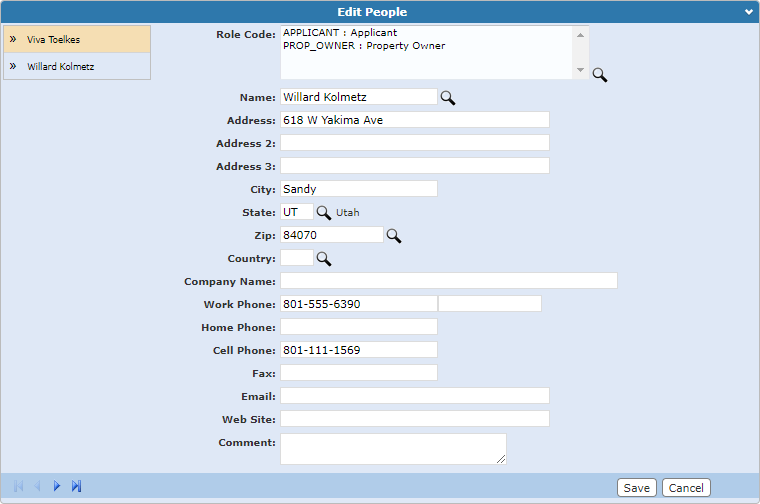
NOTE: One person may have several different roles in a single case. For example, the property owner of a residential property can also be the applicant, builder, and occupant. In order to accurately depict each role, the individual should be added to the case for each role they represent. If more than one role code is added, only the first role code selected is displayed in the People panel.
- Once your edits are made,
See People Panel Fields for an explanation of the People panel fields.